Dryer Taking Too Long: Lint and Vent Clues to Check
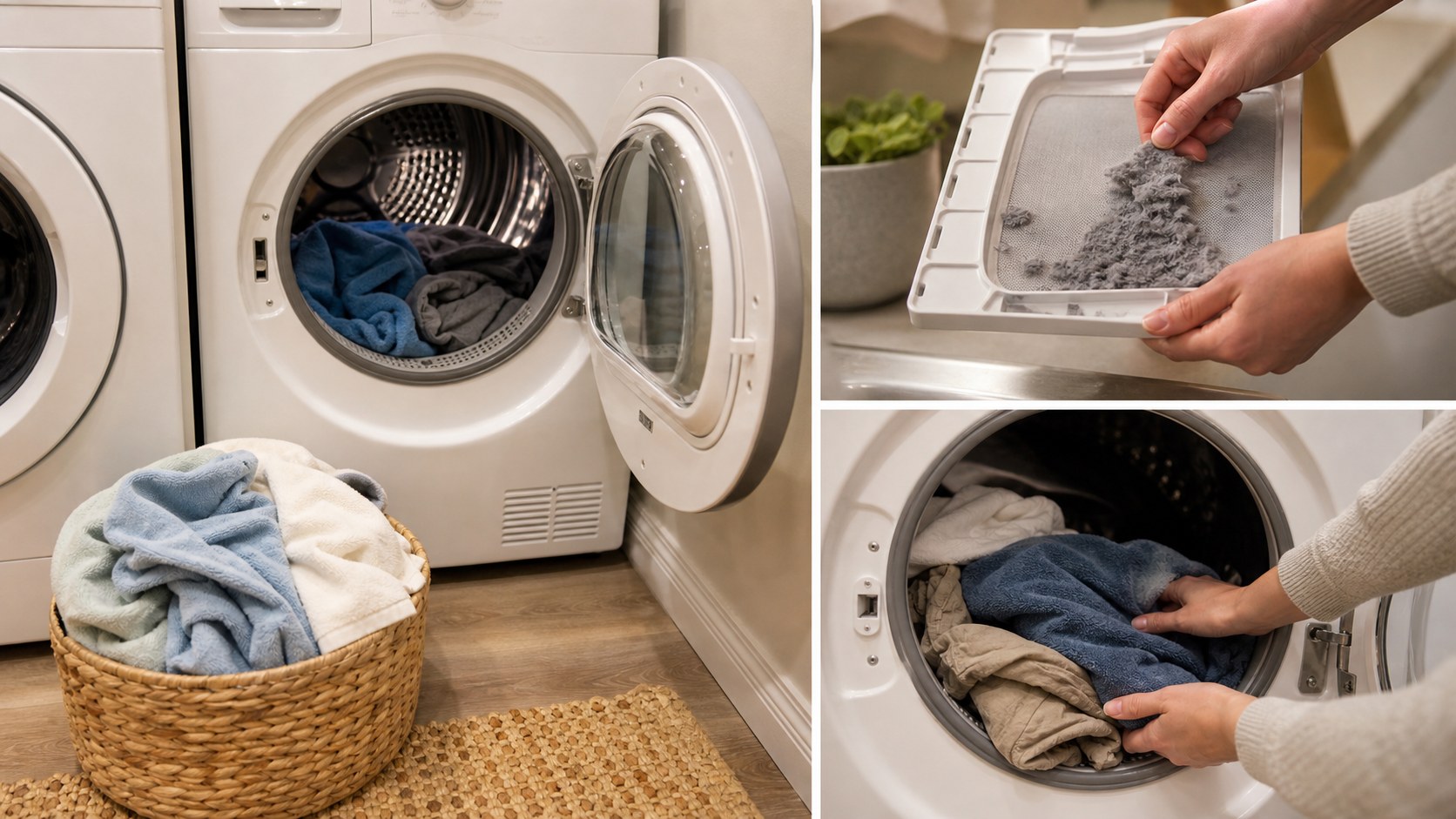
Use this when clothes are still damp after a normal dryer cycle. This guide covers safe user checks only, not heating element, motor, control board, gas line, or high-voltage repair.
By Portia Me'uan Thomas. Updated August 17, 2026. Edited for renter-aware safety.
Time: 10-20 minutes plus a test cycle. Difficulty: Easy. Safety: Low to medium because dryers can be fire risks.
Quick Answer
Clean the lint screen, reduce load size, separate heavy items, check that the dryer area has airflow, and note whether the vent flap outside appears blocked only if you can see it safely from ground level. Contact maintenance for heat, vent, gas, electrical, or repeated drying problems.
Material Fit
For appliances, the material table is really an access table: user-facing parts are different from mechanical or electrical parts.
| Material or surface | Safest first method | Conditional next method | Avoid / stop line |
|---|---|---|---|
| Removable plastic bin or shelf | Mild dish soap, warm water, complete drying. | Clean outside the appliance if it lifts out without force. | Stop if the part cracks or resists removal. |
| Rubber gasket or seal | Damp cloth and mild soap; dry the fold gently. | Use only products allowed by the manual. | Avoid sharp tools, bleach mixes, and pulling the gasket loose. |
| Lint screen / removable filter | Clean only if it is meant for user access. | Reinstall exactly as found. | Stop if access needs tools, panel removal, or force. |
| Panel, motor, compressor, hose, wiring, gas line | No beginner DIY. | Document symptoms and call maintenance. | Do not open, move, disconnect, or bypass. |
Before You Start
- Stop using the dryer immediately if you smell burning or see smoke.
- Do not pull the dryer out, open panels, disconnect gas, or handle wiring.
- Clean the lint screen before every load.
- Do not climb or use a ladder to inspect exterior vents.
Tools Needed
- Lint brush or hand vacuum for the lint screen area
- Phone camera
- Notepad
- Dry towel for test load
Renter Notes
Dryer vents and appliance repair are usually property responsibilities in rentals. Submit a maintenance request for repeated slow drying, burning smells, blocked vents, or dryers you do not own.
Step-by-Step Guide
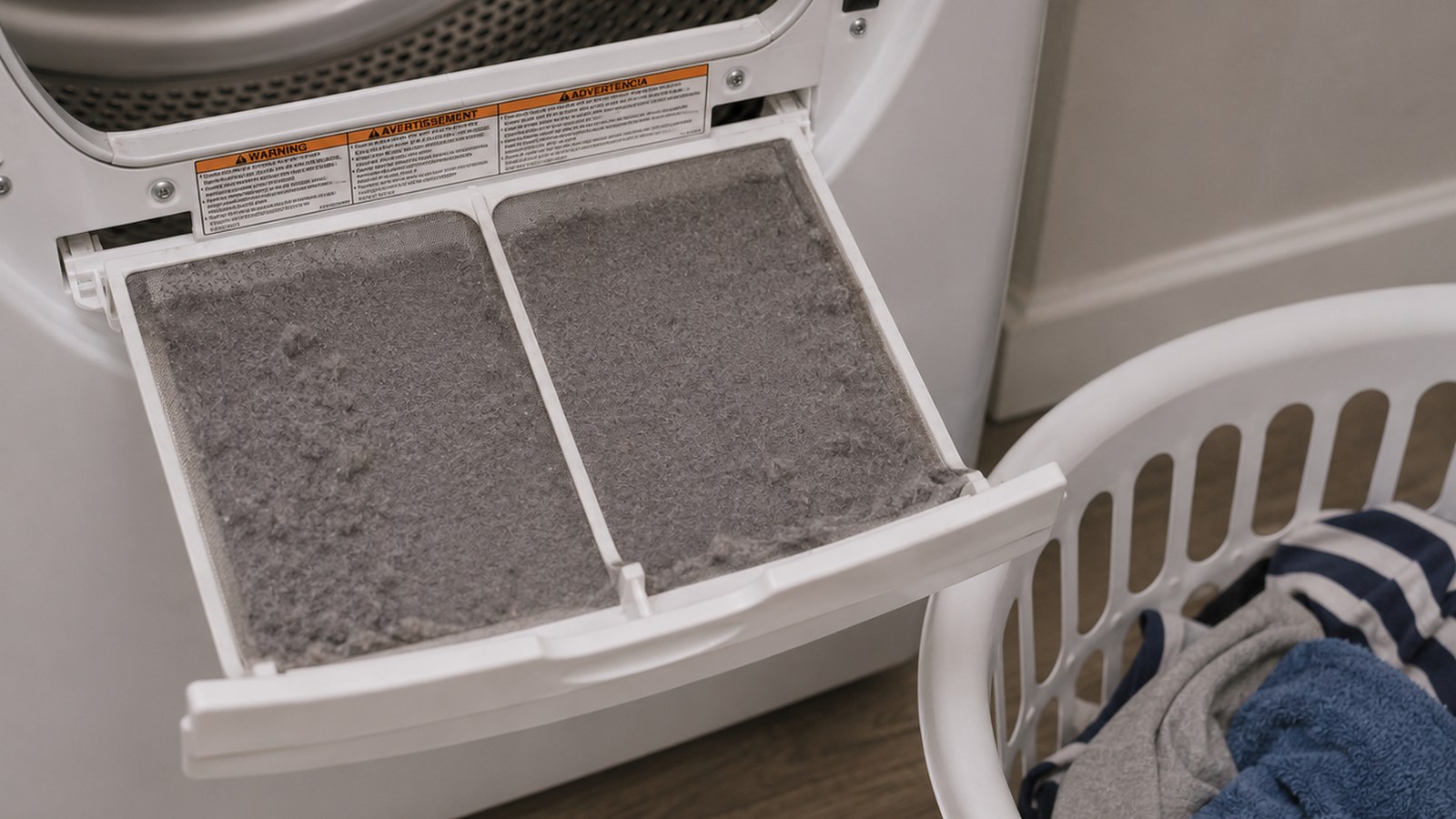
- Remove and clean the lint screen completely.
What I check before the next step: I stay with accessible, user-facing checks only. Heat, burning smell, leaks, damaged cords, error codes, or panel access means the next step is maintenance. - Check whether the load is too large or includes heavy towels mixed with lightweight clothes.
What I check before the next step: I stay with accessible, user-facing checks only. Heat, burning smell, leaks, damaged cords, error codes, or panel access means the next step is maintenance. - Run a smaller load and choose the correct heat setting for the fabric.
What I check before the next step: I stay with accessible, user-facing checks only. Heat, burning smell, leaks, damaged cords, error codes, or panel access means the next step is maintenance. - Look behind and around the dryer only from a safe standing position to see if airflow is blocked by clutter.
What I check before the next step: I stay with accessible, user-facing checks only. Heat, burning smell, leaks, damaged cords, error codes, or panel access means the next step is maintenance. - If visible from ground level, check whether an exterior vent flap opens during operation without touching it.
What I check before the next step: I stay with accessible, user-facing checks only. Heat, burning smell, leaks, damaged cords, error codes, or panel access means the next step is maintenance. - Document repeated long cycles, error lights, no heat, or burning smells and contact maintenance.
What I check before the next step: I make the note useful: date, location, what changed, one wide photo, and one close-up before I touch anything else.
Safe Next Steps
- If the result improved, do one normal-use test and finish with the checklist item: Lint screen cleaned.
- If the result is mixed, stop after the listed low-risk checks and decide whether the issue belongs with maintenance, your landlord, or a licensed professional.
- If the result did not improve or got worse, do not add force, stronger chemicals, hidden disassembly, or a new tool. Contact maintenance if any stop sign appears.
- For a rental, send a short maintenance message with where the issue is, when you noticed it, what changed, what safe check you tried, and two photos. Keep the confirmation.
Common Mistakes
- Running oversized loads and assuming the dryer is broken.
- Forgetting the lint screen.
- Ignoring a burning smell.
- Trying to clean hidden ductwork without property approval.
Dryer airflow and cycle observation
a dryer that takes too long to dry clothes is treated here as a beginner observation and control problem first, not a chance to prove you can take apart the home. The safe version is visible, reversible, and easy to stop.
For renters, the important line is ownership. You can usually observe, photograph, time, clean lightly, or tighten a visible non-security part, but hidden systems, building-owned fixtures, and lease-controlled hardware belong to maintenance.
What to Check Before You Act
If there are no warning signs, compare one ordinary result with one smaller, similar-fabric load while the dryer is supervised. Stop after that comparison if drying remains slow.
| Check | Before | After | Interpretation |
|---|---|---|---|
| Lint screen | Clean, coated, damaged, or missing | Clean and seated | A damaged or missing screen is a stop point; heavy recurring lint needs reporting. |
| Load and fabric mix | Approximate fullness and fabrics | Smaller similar-fabric load | A better result suggests loading mattered; recurrence still deserves monitoring. |
| Cycle duration | Minutes and selected cycle | Minutes for one comparison load | No improvement supports maintenance; do not repeat tests indefinitely. |
| Heat and odor | Normal, unusually hot, scorched, or gas-like | Record only if operation stayed normal | Smoke, burning, gas odor, or extreme heat ends the test immediately. |
Common Situations and Stop Points
| Symptom | Possible context | Safe first check | Stop point |
|---|---|---|---|
| Clothes damp after one cycle | Load size, fabric mix, airflow, vent, or heating fault | Clean screen and reduce a similar load | Second result still poor |
| Dryer or clothes unusually hot | Restricted airflow or appliance fault | Stop operation | Do not run another cycle |
| Outdoor flap stays closed | Airflow restriction or vent fault | Observe only from ground level | No ladder, touching, or vent disassembly |
| Burning smell, smoke, or gas odor | Fire, electrical, or fuel-system hazard | Leave the area and follow emergency guidance | Immediate escalation |
Try It or Report It?
| Situation | Beginner can try | Do not touch | Contact |
|---|---|---|---|
| Lint screen dirty | Clean the removable screen | Internal lint path | Maintenance if damaged or lint returns unusually fast |
| Load too large | Split into a smaller similar-fabric load | Override sensors or extend repeated cycles | Maintenance if still slow |
| Vent concern | Ground-level visual observation | Duct, clamps, exterior cover, or appliance position | Maintenance or professional vent service |
| Heat, smoke, gas, or electrical warning | Stop use and keep distance | Plug, gas connection, panels, or breaker repeatedly | Emergency maintenance, utility, or emergency services |
Renter-Safe First Steps
- Clean and inspect the lint screen.
- Reduce and separate the load.
- Record one supervised cycle result.
- Observe an exterior flap only from a safe ground-level position.
Stop Lines
- Stop for smoke, burning smell, or gas odor.
- Stop if the dryer or clothes become unusually hot.
- Stop for a damaged or missing lint screen.
- Stop before moving the dryer or touching ducts, gas, wiring, or panels.
- Stop after one unsuccessful comparison cycle.
Additional FAQ
Can I vacuum inside the dryer?
Limit cleaning to a user-accessible area specifically named in the manual. Do not insert tools deeply, remove panels, or move the appliance.
Is a warm laundry room normal?
Some warmth can occur, but worsening room heat, a hot appliance exterior, burning odor, or poor drying needs prompt reporting.
Should I inspect the roof or upper-wall vent?
No. Do not climb or lean out to inspect a vent; maintenance can arrange safe access.
Related Next Steps
- Apartment Laundry Without Damaging Clothes - Use the loading and fabric-sorting guidance before the comparison cycle.
- Appliance Problem or Repair Risk? A Beginner Troubleshooting Filter - Review appliance fire, electrical, and ownership boundaries.
- Power Outage Alone: A Calm Apartment Safety Plan - Use the outage guide if the dryer stopped with a wider power problem.
What Not to Do
- Do not open dryer panels or touch internal heating parts, motors, belts, gas lines, or wiring.
- Do not run the dryer without a lint screen.
- Do not use a ladder to inspect vents.
- Do not keep running repeated cycles if the dryer smells hot or scorched.
When to Pause and Ask for Help
Contact maintenance if drying stays slow after lint and load checks, the dryer has no heat, overheats, smells like burning, trips breakers, shows error codes, or the vent may be blocked.
FAQ
Can a dirty lint screen really slow drying?
Yes. Lint blocks airflow and can increase drying time and fire risk.
Should I clean the dryer vent myself?
In a rental, hidden vent cleaning is usually maintenance work. Do not move or disconnect the dryer unless approved.
What if only towels stay wet?
Try a smaller towel load. Heavy fabrics need more airflow and space.
Is a burning smell urgent?
Yes. Stop the dryer and contact maintenance. Call emergency services if there is smoke or fire.
Final Checklist
- Lint screen cleaned
- Load size reduced
- Airflow area cleared
- No ladder used
- Burning smell treated as urgent
- Maintenance contacted if repeated
References
Use these official resources as background context. Product manuals, lease rules, local requirements, property maintenance instructions, and qualified professional advice should still come first for your exact home.
- Clothes dryer fire safety - U.S. Fire Administration. Use for lint and airflow safety context; renters should not open dryer cabinets or alter shared machines.
- Appliance and electrical fire safety - U.S. Fire Administration. Use for appliance warning signs such as overheating, burning smells, damaged cords, or repeated electrical trouble.
You May Also Like
More beginner-safe guides that connect to this repair, the same room, or the next safety decision a renter may need.
- Apartment Laundry Without Damaging Clothes - Use shared apartment laundry machines with fewer mistakes, safer habits, and less clothing damage.
- Washing Machine Smells Bad: Renter-Safe Odor Checks - Freshen a smelly washer with safe cleaning, ventilation, and renter-aware maintenance steps.
- Appliance Problem or Repair Risk? A Beginner Troubleshooting Filter - Use a beginner safety filter before checking a fridge, washer, dryer, dishwasher, AC, or stove.
- Power Outage Alone: A Calm Apartment Safety Plan - A calm power outage plan for people living alone, with clear electrical safety boundaries.
- Fridge Not Cooling Properly: First Checks Before Repair - Check safe fridge basics like temperature setting, airflow, door seal, and maintenance reporting.
- Dishwasher Smells Bad: Safe Cleaning Before You Call Maintenance - Clean common dishwasher odor sources without taking the appliance apart.
- Bad Fridge Smell: A Step-by-Step Odor Reset - Track down refrigerator odors with a safe cleanout routine for renters and first apartments.
- First Apartment Maintenance Checklist - A realistic monthly checklist for keeping a first apartment safer and easier to manage.