The Quiet Habit That Helped at Move-Out: Why I Photograph Apartment Problems Now
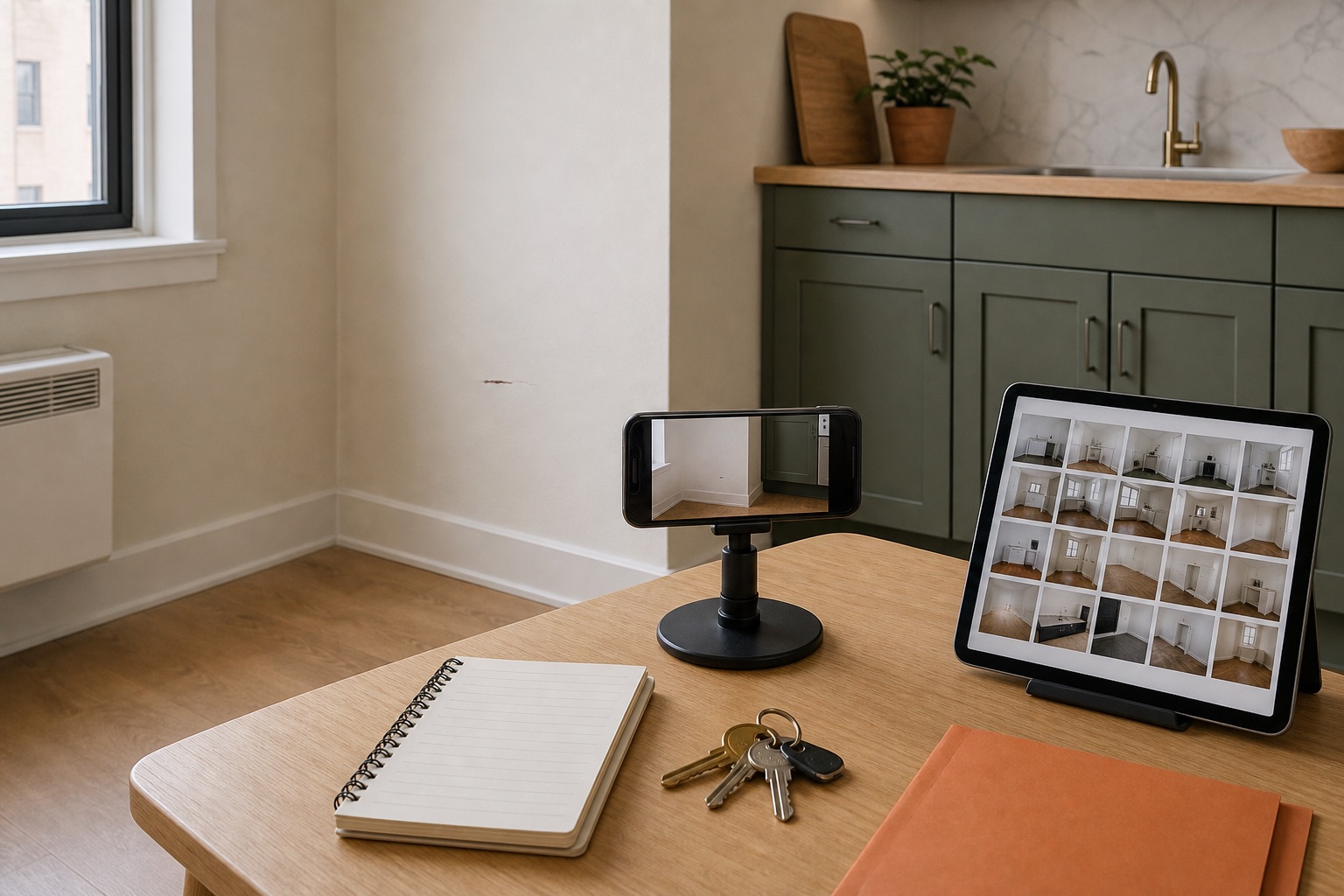
I no longer rely on memory alone when a mark, leak, loose part, or recurring condition appears in a rental. A small factual photo record makes later maintenance and move-out conversations easier to reconstruct. It does not guarantee a deposit result or replace an inspection form, written notice, lease requirement, or local rule; it simply makes the condition and timeline easier to compare.
By Portia Me'uan Thomas. Updated July 26, 2026. Edited for renter-aware safety.
Time: 2-5 minutes per safe condition. Difficulty: Easy. Safety: Low for ordinary documentation; the underlying condition may be high risk.
Quick Answer
Safety comes before documentation. When the area is safe, take one wide context photo and only the distinct detail images needed, preserve the original files, add a plain date-location-observation note, remove private information from any copy you send, and connect the photos to the official inspection form or maintenance request. Keep confirmations and before/after comparisons in one organized folder. Photos support a record, but they do not determine responsibility or guarantee a security-deposit refund.
Editorial and Safety Note
In this guide, I keep the work inside dry, visible, reversible checks, clear documentation, and early escalation when a problem touches safety systems, building systems, or uncertainty.
My Field Note
When I work through this guide, I slow the problem down into what I can see, what I can safely test, and what I should not touch. That keeps the article useful without pretending every home problem is a DIY project.
What I Would Measure
The measurement may be a time, photo, sound, movement, odor, temperature, water level, or before-and-after note. I only use measurements that a beginner can collect without hidden access or risky tools.
Where I Would Stop
I stop when the task stops being dry, visible, reversible, lease-clear, or easy to explain in one plain sentence.
What I Would Save for Later
- One wide photo
- One close-up
- Date, room, and symptom
- What changed after the safe check and what was not touched
Safe Ways to Try
I would give this topic multiple paths only where the work stays visible, reversible, and easy to stop.
Documentation-first path
Use this when the issue may belong to the building, lease, safety equipment, or a shared system.
- Take one wide photo, one close-up, and a short note with the date, location, and what changed.
- Do only the visible checks listed in this guide; do not open covers, panels, walls, plumbing, lock cylinders, or appliance parts.
- Send the maintenance message before the issue gets worse, especially if water, power, heat, cooling, locks, pests, smoke, gas, or mold are involved.
My rule is simple: if I cannot explain the part in one plain sentence, I document it before I touch it.
Avoid: Do not turn a documentation problem into a repair attempt just because a tool is nearby.
Stop line: Move to safety and use the appropriate emergency service for the stop signs listed below.
If those do not work
- If the first safe path does not improve the issue, document it instead of improvising a stronger repair.
- Use maintenance, landlord, emergency services, or a licensed professional when the stop line appears.
Failure Case
Failure case: skipping the stop line
Skipped step: Skipping documentation and trying one more DIY step after uncertainty appears.
What can go wrong: A small visible issue can cross into a building system, safety system, lease-controlled fixture, or professional repair. That usually makes the problem harder to explain and more expensive to undo.
Safer recovery
- Stop the task and take a wide photo plus a close-up.
- Write the simplest accurate description of what changed.
- Use maintenance, landlord, emergency services, or a licensed professional when the stop line appears.
Before You Start
- Screen for danger first. Do not remain for photos during fire, smoke, a carbon monoxide alarm, suspected gas, active sparking, fast flooding, violence, structural movement, or another immediate threat.
- Do not approach water near electricity, stand below damaged ceiling material, climb, open panels, reach into appliances, or disturb unknown contamination for a better angle.
- Clean the camera lens and check that the device date and time are reasonable, but do not treat device metadata or a visible date stamp as infallible proof.
- Remove or turn away mail, IDs, medicine labels, screens, faces, keys, access codes, neighbor information, and unrelated private belongings before photographing when it is safe to do so.
- Keep the property inspection form or official request channel ready so the images become part of a real record rather than staying only in the camera roll.
Tools Needed
- Phone with built-in camera
- Notes app or paper log
- Dedicated local or cloud folder with account security enabled
- Lease, move-in checklist, and property contact details
- Optional ruler for safe visible scale
- Backup location for original files and confirmations
Renter Notes
Photo records do not replace required move-in checklists, signed inspection forms, notice deadlines, repair procedures, receipts, move-out walkthroughs, or other lease and legal requirements. Security-deposit and inspection rules vary by state, locality, property, and housing program. Use the official process that applies to the rental.
Step-by-Step Guide
- Identify the record moment: move-in baseline, newly noticed condition, meaningful change, temporary safety precaution, completed maintenance visit, or move-out comparison. Photograph relevant conditions rather than trying to capture everything in the home.
What I check before the next step: I make the note useful: date, location, what changed, one wide photo, and one close-up before I touch anything else. - Run the safety and privacy filter before opening the camera. Leave or keep distance when danger is present; move private items only when doing so does not alter the condition or create risk.
What I check before the next step: Before continuing, I confirm the step stayed dry, visible, reversible, and within the lease or my comfort level. - Take a wide context image that makes the room, fixture, wall section, cabinet, floor area, door, or appliance location recognizable. The receiver should be able to answer 'where is this?' without guessing.
What I check before the next step: I stay with accessible, user-facing checks only. Heat, burning smell, leaks, damaged cords, error codes, or panel access means the next step is maintenance. - Take one or more distinct detail images only when they add information: stain edge, crack length, drip point, gap, error code, surface mark, model label, or temporary precaution. Add a ruler only when scale matters and it can be placed safely without touching the condition.
What I check before the next step: I look for spreading water, wet electrical areas, sewage odor, swelling, or moisture below the fixture. Any of those turns this into a stop-and-report issue. - Do not stage, exaggerate, filter, crop away context, or rearrange the scene to make it look better or worse. If a safety action had to happen first, photograph the remaining condition and write down what changed before the photo.
What I check before the next step: I make the note useful: date, location, what changed, one wide photo, and one close-up before I touch anything else. - Preserve the original files before editing or annotating. Create a separate sharing copy if you need to crop unrelated private information; keep the uncropped original secured and do not rely on an overlay, filename, or screenshot as the only time record.
What I check before the next step: I treat the result as information. If the problem improves, I verify once; if it stays the same or worsens, I do not keep repeating the step with more force. - Add one plain note: date and approximate time, exact location, observable condition, whether it changed, and any safe action already taken. Avoid diagnoses, blame, or statements about who is legally responsible.
What I check before the next step: I make the note useful: date, location, what changed, one wide photo, and one close-up before I touch anything else. - Store the record in a predictable folder, such as year-month plus room or issue. Use neutral filenames without names, full addresses, access codes, account numbers, or other unnecessary personal identifiers.
What I check before the next step: Before continuing, I confirm the step stayed dry, visible, reversible, and within the lease or my comfort level. - Connect the record to the official process. Submit relevant photos with the move-in checklist, maintenance request, inspection response, or move-out correspondence and save the confirmation number, sent message, attachment names, and reply.
What I check before the next step: I make the note useful: date, location, what changed, one wide photo, and one close-up before I touch anything else. - After maintenance, take an after image from approximately the same safe position and note what is visibly different. Do not declare a hidden system repaired solely because the surface looks normal.
What I check before the next step: I make the note useful: date, location, what changed, one wide photo, and one close-up before I touch anything else. - Back up important originals and confirmations in a secured second location, review sharing permissions, and retain or delete records according to the lease, applicable rules, active requests, and any qualified local advice you receive.
What I check before the next step: This is where I decide: if the issue is clearly better, I finish with the checklist; if not, I document it and use the stop line instead of improvising.
Safe Next Steps
- If the result improved, do one normal-use test and finish with the checklist item: Danger screened before documentation.
- If the result is mixed, stop after the listed low-risk checks and decide whether the issue belongs with maintenance, your landlord, or a licensed professional.
- If the result did not improve or got worse, do not add force, stronger chemicals, hidden disassembly, or a new tool. Move to safety and use the appropriate emergency service for the stop signs listed below.
- For a rental, send a short maintenance message with where the issue is, when you noticed it, what changed, what safe check you tried, and two photos. Keep the confirmation.
Common Mistakes
- Using the title or photos as if they guarantee a deposit refund.
- Taking a close-up with no room or fixture context.
- Treating exactly two photos as mandatory when one safe image is enough or a closer image is unsafe.
- Cleaning, patching, moving, or discarding relevant material before recording it when no immediate safety action required the change.
- Editing the only copy or relying only on a visible date stamp, filename, screenshot, or phone clock.
- Leaving faces, mail, IDs, keys, access codes, screens, medication labels, or neighbor information in shared images.
- Keeping images in the camera roll without connecting them to the official inspection or maintenance record.
Checks, Measurements & Stop Lines
Rental-condition photo records and retrieval
A rental photo record is a small set of original images, plain notes, and official submission confirmations that shows a condition in context and makes its timeline easier to retrieve. It is useful from move-in through maintenance and move-out, but it is not a legal conclusion, repair diagnosis, or security-deposit guarantee.
The method is intentionally ordinary: safety first, one context image, only useful details, no staging or filters, a location-and-date note, an unchanged original, a privacy-checked sharing copy when needed, and a connection to the property system of record.
Benefits
- A wide photo answers where the condition is; a distinct detail answers what is visible.
- Original files plus plain notes make recurring conditions easier to compare without relying on memory alone.
- Official request numbers and attachment records connect images to actions the property can actually track.
- A consistent folder system reduces the time needed to find move-in, repair, and move-out comparisons months later.
Risks
- The promise of protecting a deposit can overstate what photos prove and ignore lease, inspection, notice, and local-law requirements.
- An unsafe close-up can expose the renter to wet electricity, gas, unstable ceilings, contaminated material, height, or security risk.
- Shared images can reveal faces, documents, addresses, access codes, keys, screens, valuables, layouts, and personal schedules.
- Editing the only copy, relying on a visible date stamp, or leaving files only in the camera roll can weaken the practical record.
What to Watch For
Photograph relevant conditions, not the entire private life of the apartment. Move-in baselines, new visible problems, meaningful changes, temporary precautions, maintenance outcomes, and move-out comparisons are the moments with the clearest purpose.
Context and detail do different work. The wide image should identify the room, fixture, or wall section. A detail should show a distinct fact such as an edge, gap, display, drip point, mark, or scale. Repeated angles that add no information make the record harder to review.
Metadata is helpful but not infallible. Device clocks can be wrong, platforms can strip fields, and edited copies may change file dates. Preserve the original, add a plain contemporaneous note, and save the property submission confirmation rather than treating one timestamp as conclusive.
Privacy needs its own pass. Before sharing, look for mirrors, window reflections, mail, IDs, medication, screens, keys, access codes, neighbor information, children, faces, valuables, unit layouts, and location data that is not necessary to explain the condition.
A photo does not replace the formal process. Some housing programs use signed inspection forms; leases and local rules may set separate reporting or move-out procedures. The safest general method is to attach relevant images to the correct document or request and keep the receipt.
Retrieval is part of documentation. A neutral folder such as year-month plus room or issue, combined with a backup and saved confirmation, is more useful than thousands of unlabelled images that cannot be connected to a date or action.
Real-World Scenario
The habit grew from two different problems: trying to remember whether a mark existed at move-in, and trying to explain a slow leak that returned after a visit. The useful change was not taking hundreds of pictures. It was preserving one wide view, one distinct detail, the time and location, the official request, and an after image in a folder I could retrieve later.
Safety note: Documentation never outranks immediate safety. Leave for fire, smoke, a carbon monoxide alarm, suspected gas, active sparking, fast flooding, violence, or structural movement. Do not approach wet electricity, unstable ceilings, unknown contamination, appliances, panels, height, or an unsafe security situation for a photograph.
What to Measure
Test the record system by asking whether a person who was not present can identify the location, visible condition, timing note, official request, and later outcome without seeing unrelated private information.
| Check | Before | After | Interpretation |
|---|---|---|---|
| Context coverage | Close-up only or location unclear | Room, fixture, or wall section recognizable | The wide image should answer where without requiring a long explanation. |
| Detail usefulness | Repeated or dramatic angles | Each detail shows one distinct fact | Keep only images that add condition, change, scale, display, or path information. |
| Timeline | Memory or filename alone | Original file, plain date-location note, and submission confirmation | Multiple ordinary records are more practical than relying on one fallible timestamp. |
| Privacy | Unreviewed camera image | Sharing copy checked for personal and security details | Remove unrelated private information without changing the condition being documented. |
| Retrieval | Buried in general camera roll | Neutral folder, official request number, backup, and after comparison | The record is useful only if it can be found and connected to the right issue. |
Symptoms and Stop Points
| Symptom | Possible context | Safe first check | Stop point |
|---|---|---|---|
| Pre-existing move-in mark | Normal prior condition or unknown history | Capture context and detail, add it to the required move-in inspection process, and save confirmation | Do not cover, patch, scrub, or label responsibility before the formal record |
| Water, stain, dampness, or leak | Unknown surface, fixture, appliance, or building source | Photograph only from a dry safe position and use the urgent channel when active or spreading | Water near electricity, fast spread, sewage, or soft/bulging/sagging ceiling |
| Appliance error, sound, or visible change | Setting, load, power, user-facing part, or service issue | Capture the display or a brief clip without moving the appliance or opening panels | Heat, burning or gas odor, sparks, leak, repeated trip, or need to reach behind |
| Pest evidence | Insect, rodent, entry gap, moisture, or food source | Photograph without disturbing it and report through the property process | Do not sweep or vacuum unknown rodent waste before current public-health disinfection guidance |
| Condition after maintenance | Visible improvement, incomplete work, or recurring symptom | Photograph from the same safe position and note only the visible difference | Do not reopen, restart, or disassemble a system to prove whether hidden work was completed |
| Move-out comparison | Normal wear, pre-existing condition, repair history, or possible damage question | Match the move-in view, use the formal walkthrough process, and keep written records | Do not assume the photo alone determines wear, responsibility, charges, or deposit outcome |
Try It or Report It?
| Situation | Beginner can try | Do not touch | Contact |
|---|---|---|---|
| Ordinary dry visible condition | Take context and detail images, preserve originals, note, store, and submit | Do not stage, filter, repair, or diagnose | Official inspection or maintenance channel |
| Hazard or active damage | Leave or keep distance and report the observable condition | Gas, wet electricity, active water, sewage, unstable material, panels, or security threats | Emergency service, utility, security, or emergency maintenance as appropriate |
| Private or shared information in frame | Create a separate cropped sharing copy while preserving the original | Do not expose access codes, IDs, faces, neighbors, screens, or unrelated records | Use only the authorized property channel |
| Deposit or inspection dispute | Organize photos with forms, notices, receipts, requests, and confirmations | Do not claim a photo guarantees the legal outcome | Local housing resource, housing program, tenant organization, or qualified legal help |
Renter-Safe First Steps
- Photograph an ordinary dry visible condition from a stable safe position.
- Preserve originals and make a separate privacy-checked sharing copy.
- Add a factual date-location-observation note without diagnosing or assigning responsibility.
- Organize records by neutral date, room or issue, and official request number.
- Attach relevant images to the required inspection or maintenance process and save confirmation.
Stop Lines
- Leave or keep distance for fire, smoke, a CO alarm, suspected gas, active sparking, fast flooding, violence, or structural movement.
- Do not approach water near electricity, unstable ceilings, sewage, unknown contamination, appliances, panels, height, or security threats for a photo.
- Do not stage, filter, alter timestamps, crop away relevant context, or edit the only copy.
- Do not share faces, documents, addresses, access codes, screens, keys, neighbors, valuables, or unrelated private information.
- Do not treat photos as a substitute for required forms, written notice, deadlines, receipts, inspections, or qualified local advice.
Observation Plan
Hypothesis: A small folder organized by date, room or issue, and request number will let the renter find a relevant original and official confirmation faster than relying on the general camera roll.
Setup: Using ordinary non-sensitive sample images, create one folder structure, add a wide and detail image, attach a plain note and request number, then time how long it takes to retrieve the original, sharing copy, submission confirmation, and after image.
Materials
- Phone camera
- Notes app
- Secure folder
- Backup location
- Sample request number
- Privacy checklist
What this comparison can reveal: The useful result to look for when checking rental photo-record retrieval is not just a final number. It is whether one small reversible change produces an observable difference while the other conditions stay the same.
What not to repeat: Do not repeat any check that requires force, chemical mixing, opening building systems, standing on unsafe furniture, bypassing safety equipment, or delaying a maintenance request.
Recommendation: Use the smallest folder and filename system you will actually maintain; add complexity only when it improves retrieval or privacy.
Maintenance Message
What to Photograph
- One wide image showing the room, fixture, or wall section.
- Only distinct detail images that add condition, change, display, path, or safe scale information.
- A later image from approximately the same position after maintenance or at move-out.
- A privacy-checked sharing copy with the unchanged original stored securely.
What to Write Down
- Date and approximate time, exact location, and observable condition.
- Whether the condition is new, recurring, changing, or part of the move-in baseline.
- Any safety action taken before the photo and anything deliberately left untouched.
- Inspection form, request number, attachment names, confirmation, reply, and after status.
First Message
Hi, I am adding a factual photo record for [condition] at [exact location], first noticed [date/time]. The attachments include one context image and [number] distinct detail image(s). I observed [visible fact], took only [safe action], and did not touch [system]. Please add these to [inspection/request number] and confirm the next step.
Follow-Up Message
Hi, following up on [inspection/request number]. The condition at [location] is now [unchanged/better/worse] as of [date/time]. I attached a new image from approximately the same safe position and preserved the original files. Please confirm that the update was added to the record.
Emergency Wording
Urgent: The condition at [location] now involves [active water/electricity/sewage/unsafe structure/security or other hazard]. I moved to safety and did not remain for additional photos or touch the source. I am using the appropriate emergency or property channel now.
Additional FAQ
Should I photograph every room every month?
Usually not. Photograph purposeful moments: move-in baseline, a new condition, a meaningful change, temporary safety precaution, maintenance outcome, and move-out comparison. Follow any formal inspection schedule that applies separately.
Is photo metadata legal proof?
This guide cannot determine evidentiary weight. Metadata can be useful but can also be wrong, stripped, or changed. Preserve originals and combine them with contemporaneous notes, inspection documents, official submissions, and confirmations.
Can I include a model or serial label?
A model label can help maintenance identify equipment when it is safely visible. Share only what the official channel needs; crop unrelated serial, account, network, access, or identity information from the sharing copy while preserving the original securely.
When can I delete the files?
Retention depends on the lease, open requests, move-out process, insurance needs, housing program, and local rules. Do not delete the only copy while the condition, charge, inspection, claim, or dispute remains active; seek location-specific advice when the stakes are significant.
Related Next Steps
- Move-In Inspection Before You Unpack - Create the formal move-in baseline before boxes and normal use change the unit.
- How to Write a Clear Maintenance Request (Renter Templates + Photo Checklist) - Choose and attach the most useful privacy-safe images to the official request.
- What to Do While Waiting for Maintenance: A Calm Renter's Temporary Safety Plan - Document meaningful changes while keeping temporary safety ahead of photography.
- What I Do Differently Now When Something Breaks at Night (Living Alone Edition) - Use the nighttime danger screen before turning on lights or moving closer for a photo.
- First Apartment Maintenance Checklist - Connect records to the recurring inspection and maintenance log.
- Pest Evidence in a Rental: Where to Check First - Photograph pest evidence without disturbing material that may need public-health precautions.
- Small Water Leak: What to Do While Waiting for Maintenance - Keep electrical and ceiling stop lines ahead of leak documentation.
What Not to Do
- Do not delay escape, emergency contact, water isolation by qualified help, or another necessary safety action to take photographs.
- Do not operate lights or phones inside a suspected gas area, approach wet electrical equipment, stand below unstable material, climb, or open hidden systems for a better image.
- Do not stage damage, apply dramatic filters, remove context, alter timestamps, or describe a guess as a confirmed cause.
- Do not publish rental-condition photos publicly when they reveal an address, layout, entry security, personal schedule, valuables, documents, or another person's information.
- Do not assume photos replace a signed inspection form, written notice, receipt, official request, deadline, or location-specific tenant procedure.
- Do not sweep or vacuum unknown rodent droppings or nesting material before following current public-health disinfection guidance.
When to Pause and Ask for Help
Move to safety and use the appropriate emergency service for fire, smoke, a carbon monoxide alarm, suspected gas, active sparking, fast flooding, violence, medical danger, or structural movement. Use urgent property channels for active leaks, sewage, failed alarms, unsafe temperature, broken sole-entry security, or another critical building condition. For deposit, inspection, notice, privacy, or dispute questions, consult the lease, property process, housing program, local housing agency, tenant resource, or qualified legal help rather than relying on photos alone.
FAQ
Do photos guarantee that I will get my security deposit back?
No. Photos can help show condition and timing, but the outcome depends on the facts, lease, inspection documents, notice requirements, applicable law, ordinary wear standards, charges, and dispute process. Use local guidance for the actual rental.
Should I turn on the camera's visible date stamp?
It is optional and should not cover the condition. Keep the original file, check the device clock, add a separate plain note, and save official submission confirmation. A visible stamp or metadata field is not infallible by itself.
How many photos should I take?
Use the smallest set that communicates the condition: usually one wide context image and one or more distinct details. Skip any angle that repeats information, exposes private data, or requires an unsafe position.
Should I use cloud storage?
A secured cloud folder can be a useful backup, but review account security, sharing permissions, automatic location data, and who can access the album. Keep sensitive rental and identity documents separate from shared photo links.
Can I edit a photo before sending it?
Keep the original unchanged. Make a separate copy when you need to crop unrelated private information or add a simple arrow, and state that the shared copy was annotated. Do not change color, severity, timing, or visible condition.
Are videos or audio useful?
A short clip may show an intermittent sound, drip, movement, or display change, but it may also capture conversations, faces, addresses, or private surroundings. Record only from safety, keep it brief, and use the official channel's accepted file types.
Final Checklist
- Danger screened before documentation
- Photo set limited to relevant safe images
- Wide context image included when possible
- Distinct detail or safe scale image added only when useful
- No staging, exaggeration, filters, or altered timestamps
- Original files preserved unchanged
- Faces, documents, screens, keys, codes, and private details removed from sharing copy
- Date, location, observation, and safe action noted
- Folder and neutral filename applied
- Official inspection or maintenance record updated
- Confirmation number, attachments, and reply saved
- Important originals backed up securely
References
Use these official resources as background context. Product manuals, lease rules, local requirements, property maintenance instructions, and qualified professional advice should still come first for your exact home.
- Tenant rights - USAGov. Security-deposit rules, notice requirements, inspection procedures, and dispute options vary by state and locality; a photo record does not replace location-specific requirements.
- Housing Choice Voucher Program: Tenant Resources - U.S. Department of Housing and Urban Development. Use as program-specific context for reporting unit-condition concerns and working with the local housing agency; other rentals may follow different procedures.
- Housing Choice Voucher Program — Move-In/Move-Out Inspection Form - U.S. Department of Housing and Urban Development. HUD describes a room-by-room move-in and move-out inspection form for landlords and families to complete together. Use it as program-specific context, not as a universal deadline or inspection rule.
- How to clean up after rodents - Centers for Disease Control and Prevention. Do not approach, sweep, or vacuum rodent urine, droppings, or nesting material for a better photo; follow current public-health disinfection guidance.
You May Also Like
More beginner-safe guides that connect to this repair, the same room, or the next safety decision a renter may need.
- Move-In Inspection Before You Unpack - Inspect a rental apartment before unpacking so you can document damage, leaks, locks, and safety issues early.
- How to Write a Clear Maintenance Request (Renter Templates + Photo Checklist) - Write a clear rental maintenance request with copy-ready templates, a privacy-aware photo checklist, urgency guidance, and a simple follow-up log.
- What to Do While Waiting for Maintenance: A Calm Renter's Temporary Safety Plan - Use a calm, renter-safe plan to protect people, limit avoidable damage, document changes, and update maintenance without attempting the repair.
- What I Do Differently Now When Something Breaks at Night (Living Alone Edition) - Use a calm nighttime decision plan when something breaks while you live alone: screen for immediate danger, contact the right help, document safely, and decide whether the home is safe for rest.
- First Apartment Maintenance Checklist - A realistic monthly checklist for keeping a first apartment safer and easier to manage.
- Pest Evidence in a Rental: Where to Check First - Look for early pest evidence in a rental apartment and report it before the problem spreads.
- Small Water Leak: What to Do While Waiting for Maintenance - Limit damage from a small active leak while you document it and wait for apartment maintenance.
- Curtains in a Rental: Hang Them Without Wall Damage - Add privacy with renter-friendly curtain options that avoid drilling and wall damage.